
BIG Driver Updates for the Retroid Pocket Duo
A driver update walkthrough for the regular Pocket Duo, focusing on reported 3DS and PS2 gains. It gives a detailed Azahar configuration and game-by-game shader tradeoffs; the exact emulator and driver builds are not stated. Watch the full video on YouTube ↗
 Watch on YouTube
Notes cover the Azahar settings and a few game examples. The exact Azahar and Turnip builds are unknown.
Jump to a chapter
- 0:00 · introduction
- 1:33 · 3DS settings
- 3:26 · 3DS gameplay
- 7:04 · Xbox, Wii U and Switch
- 9:56 · PS2 updates with ARMSX2
- 13:30 · summary and conclusion
Settings and findings
What the reviewer found in this video at the time. Newer app versions can behave differently.
The video description links the Turnip Duo v5.1 release, but does not say it is the build used in the tests.
More detail
- The description calls the video a Retroid Pocket Duo update; the driver package used in the footage is unknown.
Retro Game Corps demonstrates an Azahar 3DS profile using Vulkan, asynchronous shaders and 3× resolution, with the “Disable right eye rendering” and “Hardware shaders” options switched off as the baseline. The reviewer says some games need hardware shaders enabled manually; Azahar had no per-game shader setting when the video was made.
- renderer
- Vulkan
- asynchronous shaders
- On
- resolution scale
- 3×
- disable right eye rendering
- Off
- hardware shaders
- Off
More detail
- The narrator calls the driver Turnip 2; the exact package and Azahar build are unknown. The description links Turnip Duo 5.1, which may not be the version used.
The reviewer shows Mario Kart 7 running in the video’s 3× Azahar profile and does not call out a problem in this short clip.
- resolution scale
- 3×
- hardware shaders
- Off
More detail
- The emulator and driver builds are unknown.
The reviewer describes Super Smash Bros. for Nintendo 3DS as a heavier title and shows it in the 3× Azahar profile, with no build or frame rate given.
- resolution scale
- 3×
- hardware shaders
- Off
More detail
- Only a short clip was shown.
For Super Mario 3D Land, the reviewer recommends enabling hardware shaders in the 3× profile to gain fast-forward headroom; the base profile without them is described as near full speed but with little headroom.
- resolution scale
- 3×
- hardware shaders
- On
- reported fast forward
- about 250%
More detail
- The Azahar and driver builds are unknown.
The reviewer reports that enabling hardware shaders makes Pokémon appear as outlines in Pokémon Ultra Sun; disabling the option avoids that visual issue but reduces fast-forward headroom.
- resolution scale
- 3×
- hardware shaders
- Off
- reported fast forward
- about 150–200%
More detail
- The Azahar and driver versions are unknown.
The reviewer reports Donkey Kong Country Returns 3D at about 75% speed with hardware shaders off, then near full speed with the option on; fast-forward reaches roughly 250% in the demonstrated section.
- resolution scale
- 3×
- hardware shaders
- On
- reported fast forward
- about 250%
More detail
- The video says settings must be changed by hand because this Azahar build has no per-game hardware-shader setting. The exact software builds are unknown.
About these notes
Taken from what the reviewer says in the video. App and driver versions appear only when the reviewer names them, and each link jumps to that moment.
Related game notes
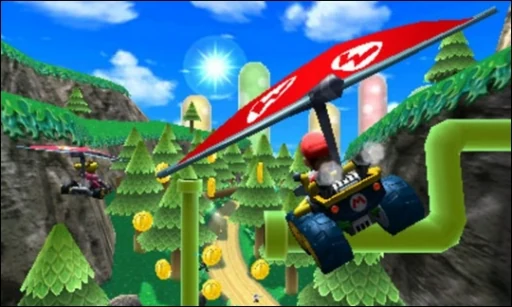
 3DSMario Kart 7Regular Duo reviews and an earlier Duo Lite test give different results, so check the hardware, emulator and driver on each short clip below.Pocket Duo and Duo Lite
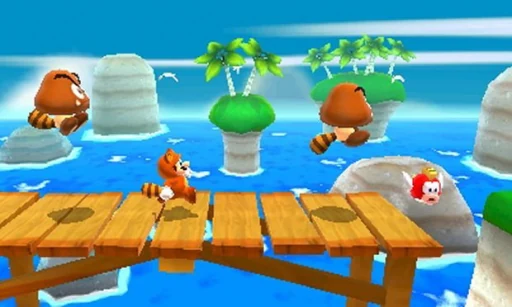 3DSSuper Mario 3D LandReviewers report smooth play around 3×, and a written review saw drops to around 45 fps on the stock driver. 4× worked in the areas shown but could stutter in one video.Pocket Duo
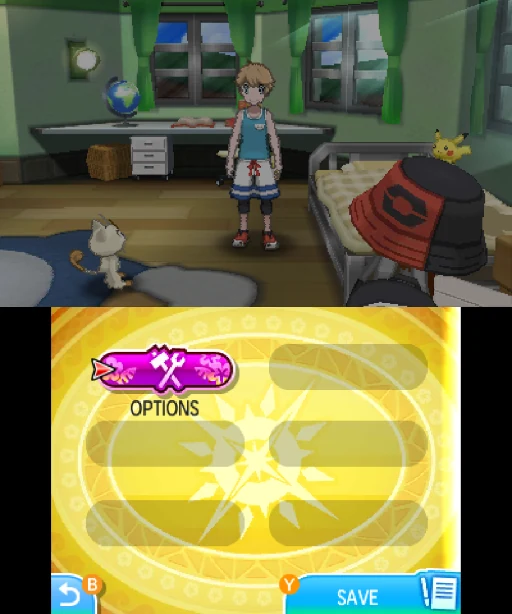 3DSPokémon Ultra SunThe regular Duo test reports a hardware-shader tradeoff at 3×: leaving it off avoids outlined Pokémon but limits fast-forward. An earlier Duo Lite test on a GammaOS beta used 2× for more headroom.Pocket Duo and Duo Lite
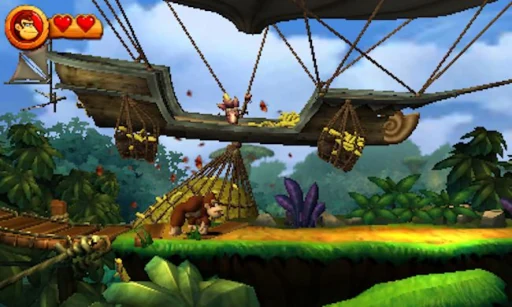 3DSDonkey Kong Country Returns 3DA regular Duo test reports near-full-speed play at 3× after enabling hardware shaders. An earlier Duo Lite test on a GammaOS beta reports acceptable gameplay at 2×, with slower menus or scenes. Both cover a short stretch of play.Pocket Duo and Duo Lite
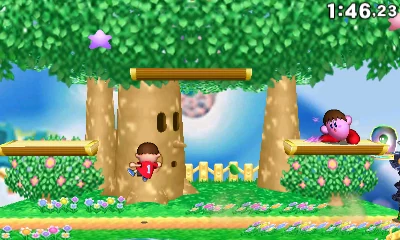 3DSSuper Smash Bros. for Nintendo 3DSAn earlier Duo Lite test reports unstable performance, with only occasional bursts of 60 fps. A later regular Duo video shows a short 3× Azahar clip without a frame rate. Emulator and driver builds are unknown in both.Pocket Duo and Duo Lite
Card screenshots come from Libretro, not from a Duo.
Software in this video
More reviews
 🔥 Probé la Retroid Pocket Duo: ¿Vale la pena para 3DS, Switch y más?Esto es Retro · First impressions
 The new Dual Screen to get: Retroid Pocket DuoWULFF DEN · Review
 千元双屏掌机RP Duo,上手体验到底如何?卡纸biubiu · First impressions
 The Dual-Screen Handheld We’ve Been Waiting For?OJAYSAN · First impressions